
How to add an agenda to your GforGov website:
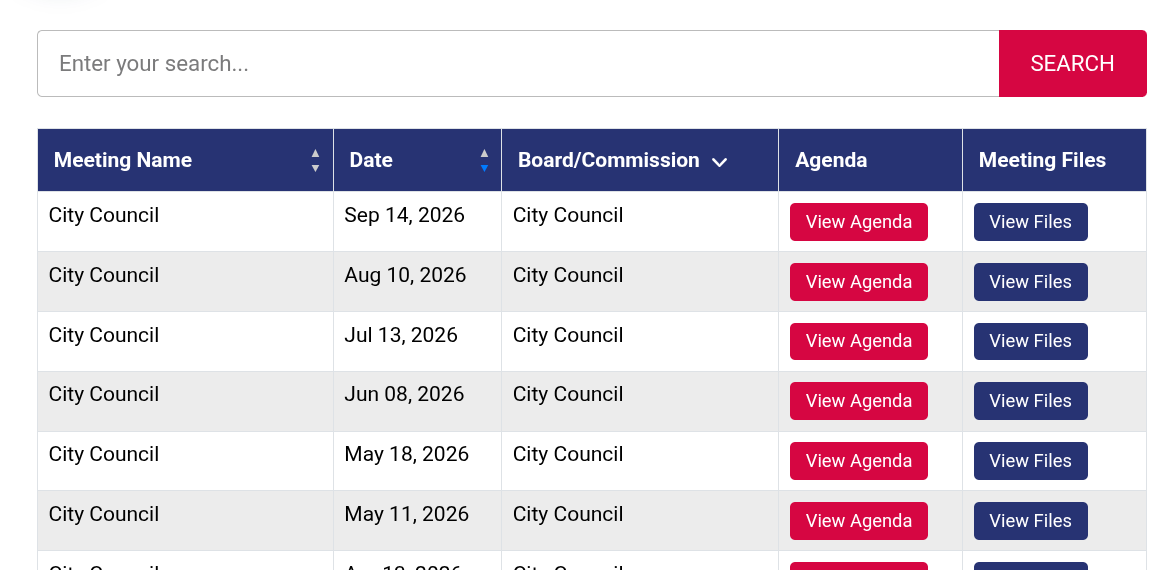
Step 1: On your desktop computer or in the browser (drive.google.com), create a meeting folder in your synchronized Google Drive and drop in the agenda PDF. (Requires Drive for Desktop) to be installed on your machine.
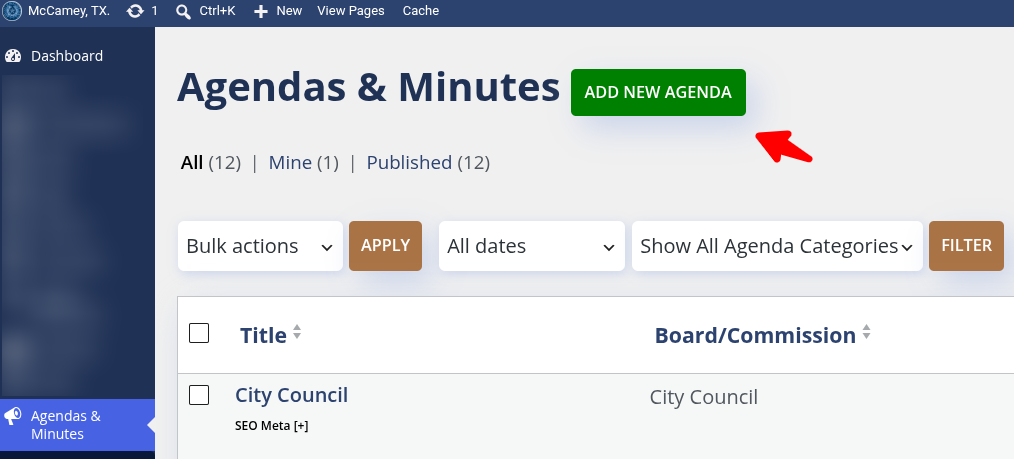
Step 2: Open the Agenda/Minute tool and click Add Agenda
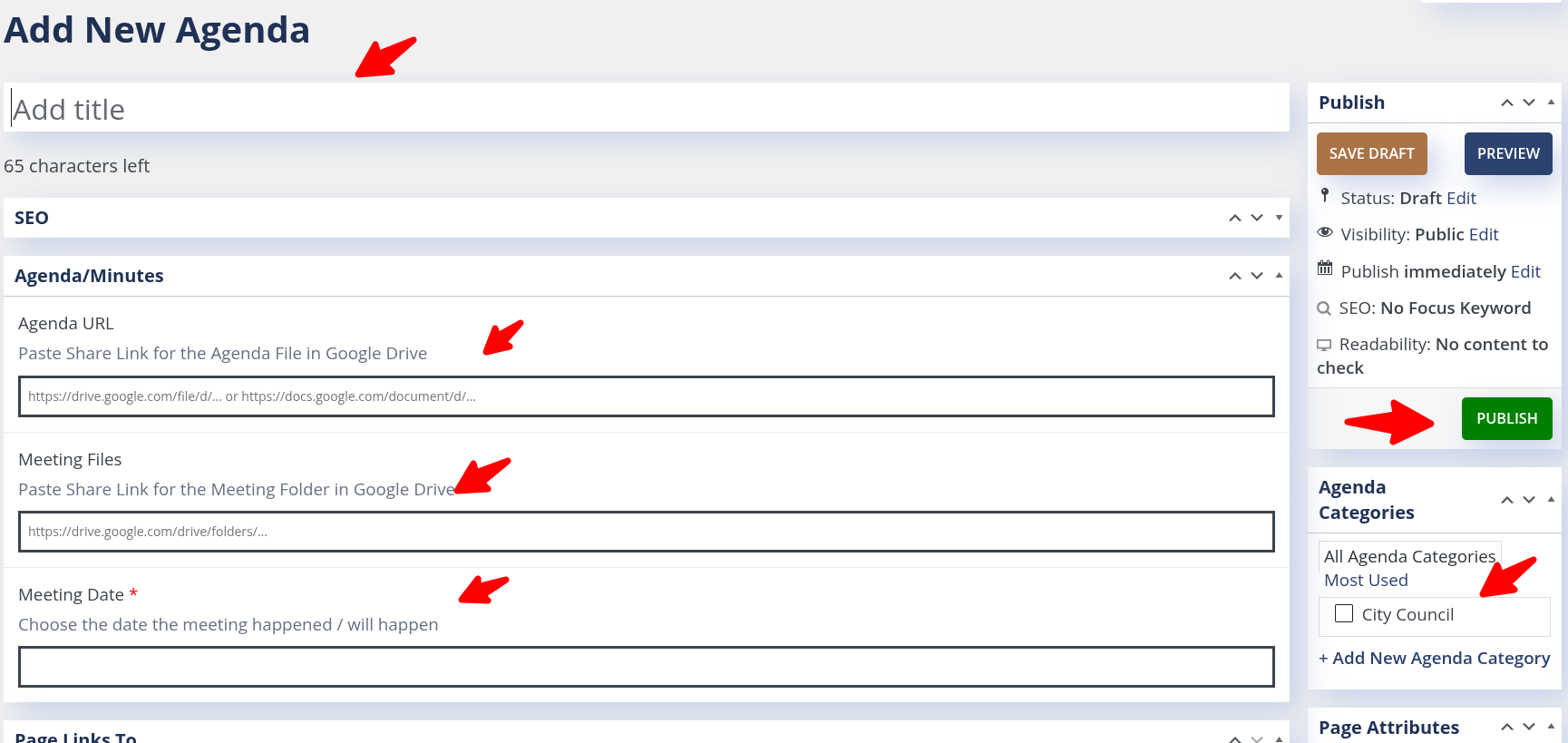
Step 3: Enter the meeting title and date, paste the link to the agenda and the meeting folder, and click publish.
That’s it. In a few seconds, the website automatically builds the meeting card, formats visual PDF frames, enables one-click document downloads, and syncs the meeting details.
To complete the meeting, drop packet information, meeting minutes and recordings (audio and video) into the meeting folder. Within seconds, they will sync to the website and be available on the Agendas/Minutes page by clicking on "View Files".